Parents often report that managing screen time is one of the most consistent sources of conflict at home.
Children rely on screens for schoolwork and social interaction, but they are also drawn to highly engaging content that is difficult to disengage from. As a result, screen use tends to expand beyond intended limits.
Research and guidelines often emphasize time limits, but in practice, duration alone does not determine impact. The timing of use, the type of content, and the surrounding routine all play a role.
This article breaks down how to limit screen time for kids, how to enforce rules effectively, and understand how screen time is actually used, with a practical example of how to set this up for a typical school day.
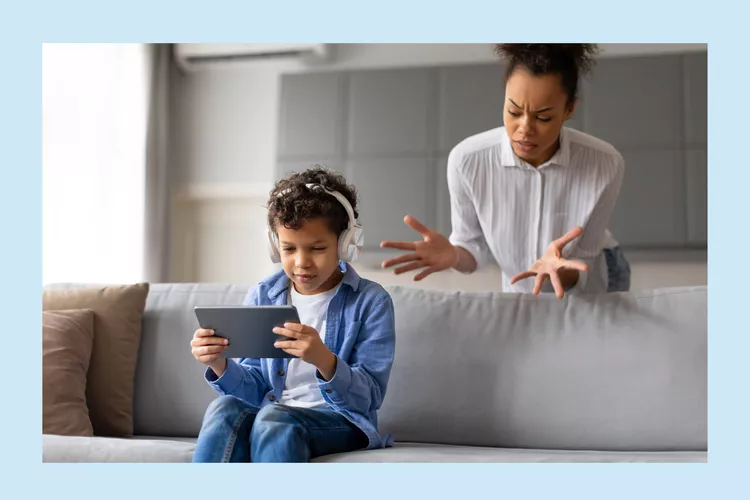
There is no single number that works for every child. Most experts agree on a structure rather than a strict limit. They suggests focus less on fixed limits and more on impact: what your child is doing, when they’re doing it, and what screens are replacing.
A simple way to evaluate screen time is to check four areas:
Focus on what screens are displacing, not just how long they last.
Decide which rules cannot change and build strict boundaries around them. Screen time belongs only after three fixed duties - enough sleep, completed schoolwork and completed physical activity. Choose a definite sleep window, for example 9:00 PM to 7:00 AM. Require every device to leave the bedroom before that window starts. During homework hours, keep a clear line between “learning use” and “entertainment use”. Your child can open a browser to look up facts but the same browser stays closed for YouTube or games.
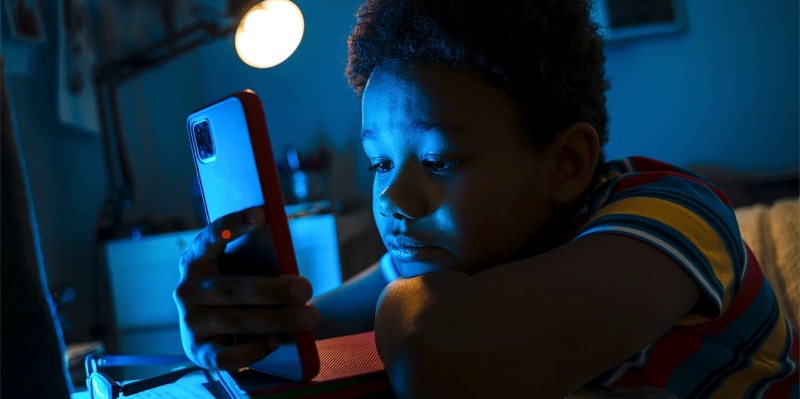
Most families wait too long to introduce device controls, and by that point, habits are already hard to change. If your child already uses a phone, tablet, or computer independently, you should start using basic controls.
Start with built-in controls before adding anything complex. Both Apple Screen Time and Google Family Link are designed for this exact purpose and are sufficient for most families in the early stages. They allow you to set downtime, limit specific apps, and prevent app installations or account changes without approval.
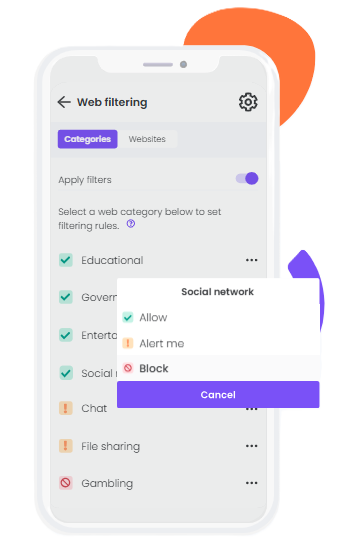
If these built-in tools are not effective, then parental control software is always reliable. Software like AnySecura or Bark will often include more detailed reporting, better web filtering (including real-time blocking of inappropriate web content), and better consistency across devices, especially if your child is using multiple devices or spends time in browsers instead of apps.
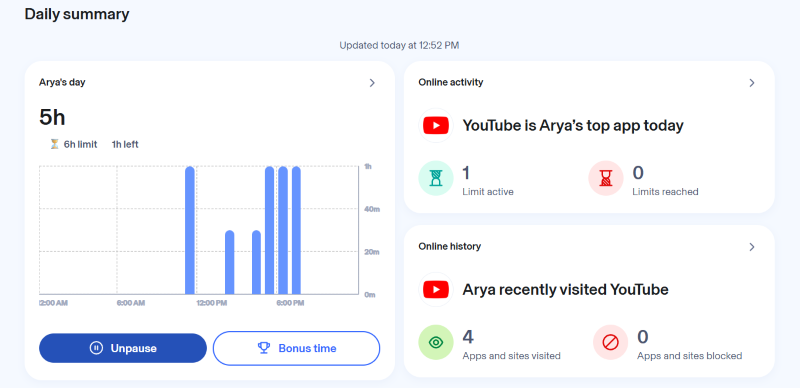
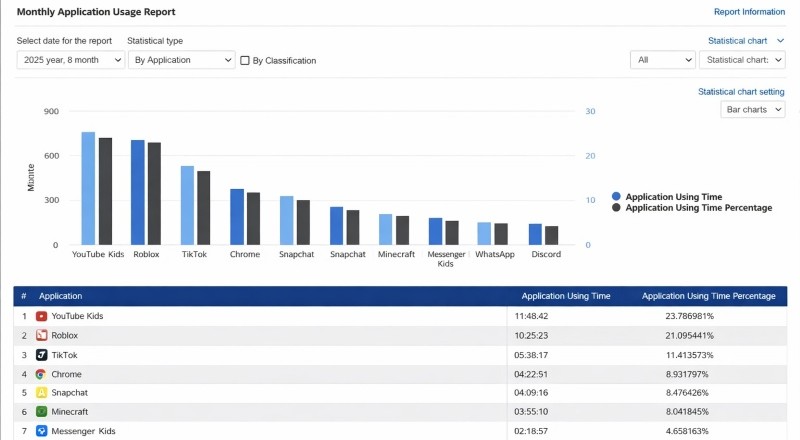
Limits alone do not show how screen time is actually used. A child can stay within limits but still spend all time on low-value content or shift usage to late hours. Without monitoring, you cannot see these patterns.
Both iOS and Android offer information on daily screen time, app usage, pickup frequency, and time-of-day activity. These help you identify where time is going and whether usage is becoming fragmented, excessive, or shifting into sleep hours.
If you move to parental control software, the visibility becomes more specific. They can show web browsing history, search activity, content categories accessed, and alerts for risky interactions or keywords. This allows you to understand not just how long devices are used, but what type of content is shaping behavior.
If built-in controls are no longer enough—for example, when limits are easy to bypass, activity becomes fragmented across devices, or it’s hard to see what your child is actually doing—then it may be time to use a system that brings more clarity and consistency.
This is where AnySecura can be helpful. It allows you to keep expectations consistent across devices, guide both app and web usage, and understand real behavior patterns over time, including where limits are being tested or where additional support may be needed.
On school days, screen time is not just entertainment. It includes homework, messaging, and distractions competing for attention. The goal is not to remove screens entirely, but to protect focus during the hours that matter, so your child can finish schoolwork efficiently and avoid dragging tasks into the evening.
| Time & Routine | What You Can Do |
|---|---|
| 4:00 PM – Arrive home | Snack + 10–15 min no-screen break |
| 4:30–6:30 PM – Homework | Enable “School Mode” (block apps, silence notifications) |
| After 6:30 PM | Physical activity or offline time |
| After tasks completed | Leisure screen time becomes available |
| 9:00 PM | Devices off, charge outside bedroom |
How to make this routine work in practice:
Even with clear rules, pushback is normal. The key is not to “win” the argument—but to respond consistently, calmly, and predictably.
What to say:
“Let’s list exactly what you need it for. If it’s truly needed, we’ll make those apps available. Everything else waits. If you need extra time on a test night, you can ask for bonus time—but we’re not negotiating minute-by-minute.”
Why this works:
You’re not rejecting the need—you’re narrowing it. This keeps the rule intact while allowing structured flexibility.
Pro tip:
Use “bonus time” as a planned exception. Many tools (like parental control apps) support this, making flexibility feel fair instead of arbitrary.
What to say:
“I get that this is how you hang out. I’m not saying ‘no friends.’ I’m saying ‘friends inside a time window.’ Your window opens at ___ and closes at ___. If there’s a special event—like a planned match—you can request it in advance, not in the moment.”
Why this works:
It validates social needs while reinforcing boundaries. Kids learn that planning—not pressure—is how exceptions happen.
Avoid this trap:
Giving in during emotional moments teaches that intensity = results.
What to say:
“That makes sense—screens can make your brain feel awake. The rule is still that phones charge in the kitchen at ___. If you’re not sleepy, you can choose one of the wind-down options. We can adjust bedtime—but not the ‘screens in bed’ rule.”
Why this works:
You acknowledge their feeling without changing the boundary. This separates emotions from rules.
Why it matters:
In-bed screen use is one of the biggest contributors to poor sleep in pre-teens.
No. Educational content, creative tools, and communication can be positive. The issue is excessive and unstructured use.
Not necessarily. It’s better to introduce it gradually with clear limits and ongoing discussions about online behavior.
Focus on systems instead of repeated warnings. Use parental controls and consistent consequences rather than emotional reactions.
Limiting screen time is not about control. It is about creating a structure that works consistently.
When rules depend on reminders and negotiations, they fail. When they are built into routines, devices, and expectations, they become easier for both parents and children to follow.
That’s also where tools like AnySecura can help. Instead of relying on constant supervision, parents can set clear screen time boundaries, manage app access, and allow structured flexibility like “bonus time” when it’s truly needed.
The goal isn’t to replace parenting with technology, but to support it—so you can spend less time enforcing rules, and more time actually connecting with your child.

