SurveilStar's basic computer control functions including notification, computer locking and unlocking, remote power down, remote log off and remote restart. The basic computer control functions enable IT mangagers to control users' computers immediately after any abnormal behaviors are found.
Please note that the agent must be running in order to control the computers. And it only works for computers, not for users.
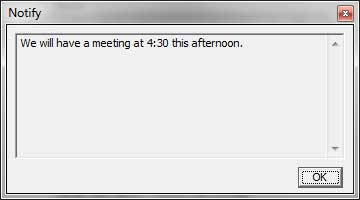
Select a computer, click menu Control > Notify to send messages. If you select a group, all the online computers in the group will receive this message. The message will be displayed on computer's screen and will be always in the front. Users can simply click OK to close this notification. Below is an example.
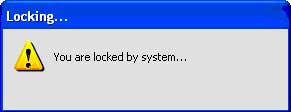
When an IT manager notices that agent computer is abnormal or the user is doing something wrong, he can lock the computer. Once the computer is locked, mouse and keyboard on the locked computer can't be used. And a dialog shown as below will be displayed on the screen of the locked computer.
If you need to unlock this computer now, select the computer at first, then use menu Control > Unlock. Please note that both locking and unlocking require password. You can also lock multiple computers or a group of computers.
IT manager can also remotely log off, shut down or restart the agent computers if necessary. Simply use menu Control > Log Off, Control > Power Down or Control > Restart to take the actions respectively.
| Computer and User | Back to Index | Auxiliary Functions |
