In a company, there may be some software changes and hardware changes. Some changes do not matter, but some changes may bring critical problems. Thus software management and hardware management are very important. It also helps IT manager to better administer company assets including software and hardware.
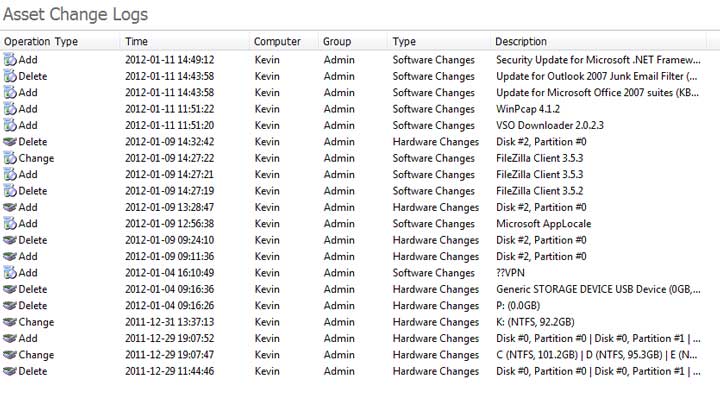
SurveilStar can record all installed software, software change as well as all existed hardware and hardware change. Asset change logs help IT manager to easily find out any abnormal software change and hardware change in earlier time and take actions to prevent any potential harm. Recorded asset change information include Operation Type, Time, Computer, Group, Type and Description.
Select a computer or a group at first, then specify your search conditions including assest type, operation type and description.
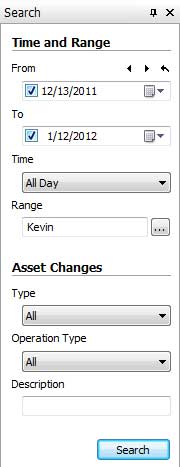
Type: Select hardware change or software change or both of them.
Operation Type: Supported operation types are Add, Delete and Change. Software upgrade or downgrade will be displayed as Change.
Description: Enter software name or hardware name to search.
After specifying your search conditions, click Search button to view the result. Below is a search result example of asset change logs.
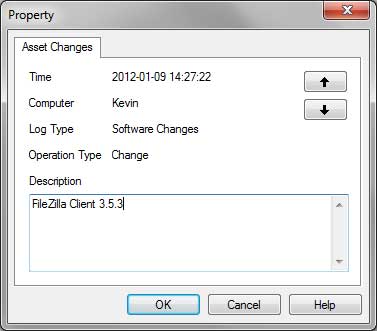
Right-click on an asset change log and click Property to view the detailed information of the selected log.
| Printing Logs | Back to Index | Policy Logs |
